
Report fiber sales from territory to completed installation.
A useful weekly report names the cohort, the source of each status and the date through which outcomes were checked. Keep activity, provider acceptance, installations, cancellations and unresolved work separate.
- Explicit cohort and observation window
- Provider-confirmed outcome sources
- Illustrative arithmetic, not claimed results
Fiber sales reporting should connect a defined territory and order cohort to provider-confirmed outcomes at a stated cutoff. Keep submitted, accepted, scheduled, completed, cancelled and unresolved records distinct, and show each rate's numerator, denominator and observation window.
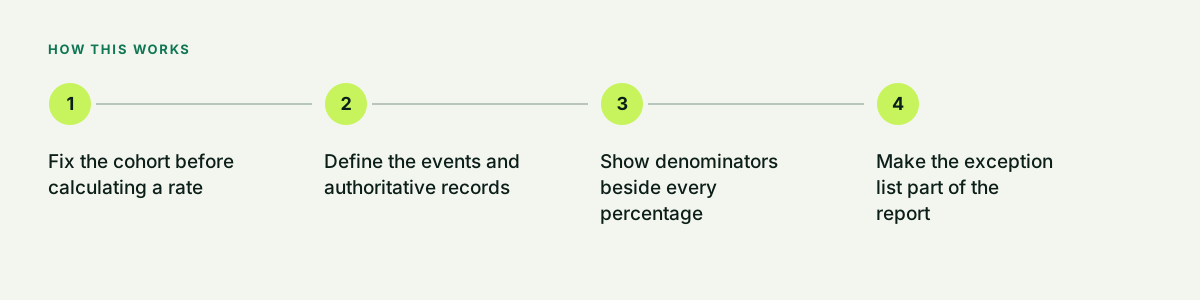
Fix the cohort before calculating a rate
Choose a cohort such as orders first submitted during one launch week, record its timezone and keep those IDs stable. Evaluate that same cohort at a stated as-of date. A late provider response updates the record's observed outcome rather than silently moving the order into a different launch week. Compare cohorts only after allowing comparable time for installation and cancellation outcomes.
- Original order or address cohort ID
- Submission period and timezone
- As-of date and source refresh time
- Rules for corrections, replacements and late events
Define the events and authoritative records
These are recommended reporting definitions to agree with the provider and operating team. The actual event names and data access depend on the program. Keep an order-event history as well as the current outcome, because an accepted order can later be cancelled and a completed installation can have a later exception.
| Measure | Definition to agree | Evidence or limitation |
|---|---|---|
| Assigned addresses | Distinct eligible address/unit records assigned to the cohort. | Footprint source, qualification time and territory owner; map presence alone is insufficient. |
| Visited addresses | Distinct assigned addresses with an eligible recorded visit in the chosen activity period. | Representative, visit time and disposition; keep repeat visits separate from unique addresses. |
| Submitted orders | Distinct provider-order attempts first submitted within the cohort period. | Stable order reference and submission time; link corrections or replacement references. |
| Accepted orders | Submitted cohort orders with authoritative provider acceptance by the cutoff. | Provider status and event time; an internal acknowledgement does not prove acceptance. |
| Completed installations | Accepted cohort orders with provider-confirmed completed service by the cutoff. | Completion source and time; show later cancellations or reversals separately. |
| Cancelled or unresolved | Accepted orders currently cancelled, pending or unknown at the cutoff, using mutually exclusive current outcome labels. | Reason, last source refresh and next owner; unknown is neither completed nor confirmed cancelled. |
Show denominators beside every percentage
The following example is invented to explain the arithmetic. It is not a Home Front or Dooriax result, forecast, industry benchmark or promised conversion rate. Suppose one submission-week cohort contains 30 distinct submitted orders. By the day-28 cutoff, 24 were accepted. Of those 24, 18 are completed, 4 are cancelled without completion and 2 remain pending; the example has no later reversals. Keep the other 6 submitted orders visible as not accepted by the cutoff, with their actual rejection or unresolved reasons.
| Measure | Calculation | Result |
|---|---|---|
| Acceptance by cutoff | 24 accepted / 30 submitted | 80% |
| Completion among accepted | 18 completed / 24 accepted | 75% |
| Cancellation without completion among accepted | 4 cancelled / 24 accepted | 16.7% |
| Pending among accepted | 2 pending / 24 accepted | 8.3% |
| Completion among submitted | 18 completed / 30 submitted | 60% |
Make the exception list part of the report
Attach unresolved address conflicts, missing provider references, duplicate or replacement orders, stale statuses, delayed appointments and disputed cancellations. Each exception needs a source, age, owner and next action. Preserve the original record and cross-reference corrections so one household or order is not accidentally counted twice. Do not overwrite a contradictory provider result just to make a dashboard reconcile.
- Exception reason and first seen time
- Source record and replacement cross-reference
- Responsible owner and next review
- Separate incomplete data from confirmed losses
Use the numbers for an operating decision
A low acceptance rate might involve qualification, offer accuracy, order-entry quality or access to current provider data; the report alone does not identify the cause. Investigate the actual exception records. Likewise, completion is not automatically retained service, collected revenue or a payable commission. Those require their own source records and agreed observation windows. Review data freshness and sample size before comparing representatives, markets or providers.
- Trace a reported problem to source records
- Compare like cohorts and mature windows
- Document missing or manual data feeds
- Keep financial and commission decisions separate
Scope the workflow and field program separately
Bring a redacted source export, status definitions and a few exceptions to a Dooriax workflow discussion. Provider integrations and reporting automation depend on approved access and the selected tools. For a managed field team or market pilot, prepare a separate Home Front brief with the provider-approved footprint and actual program requirements.
- No live customer details in a public demo
- Written field dictionary and source ownership
- Agreed refresh, reconciliation and access
- Separate software and staffing responsibilities
Common questions.
Direct answers about fit, process, limits, and next steps.
What denominator should an install rate use?
State the question first. Completed divided by accepted describes completion among accepted orders, while completed divided by submitted includes acceptance fallout. Name the numerator, denominator, cohort and cutoff each time.
Should pending orders count as failed installations?
No. Keep pending and unknown records visible with source freshness, age and an owner. A missing update does not prove either completion or cancellation.
Does a completed installation prove commission or revenue?
No. Retained service, collected revenue and payable commissions require the authoritative records, contract terms and observation windows that govern those separate measures.
Are the percentages in this guide actual campaign results?
No. The 30-order example is illustrative arithmetic only and must not be quoted as Home Front or Dooriax performance, an industry benchmark or a forecast.
Build the next useful part of the system.
Bring the current tools, operating bottleneck, market, timing, and outcome. Dooriax will start with the facts.